Introduction: Why This Matters for Indianapolis Small Businesses
If you run a small business in Indianapolis, you already know how fast things change — from neighborhood development in Broad Ripple to new dining spots around Fountain Square. Your website needs to keep up. Think of your website as your digital storefront on Meridian Street: it needs to be inviting, easy to navigate, and designed to turn foot traffic into real customers. This article walks you through web design tips tailored specifically for small businesses in Indianapolis, giving practical steps you can take today to improve visibility, usability, and conversions.
Why Good Web Design Is a Local Competitive Advantage
Why should you care about web design beyond “it looks nice”? Because in Indianapolis, local customers expect quality. Whether someone is searching for “coffee shop near me” or “plumber Indianapolis,” your website is often the first impression. A well-designed site builds trust quickly and helps you stand out from nearby competitors in neighborhoods like Carmel, Fishers, or Greenwood.
Local search behavior: People want quick answers
Most people searching locally are on their phones and have a clear intent. They want business hours, directions, contact info, or a product in stock. If your site doesn’t deliver that in two or three clicks, they’ll move on. A great local web design eliminates friction and gets users what they want fast.
Mobile-first is non-negotiable
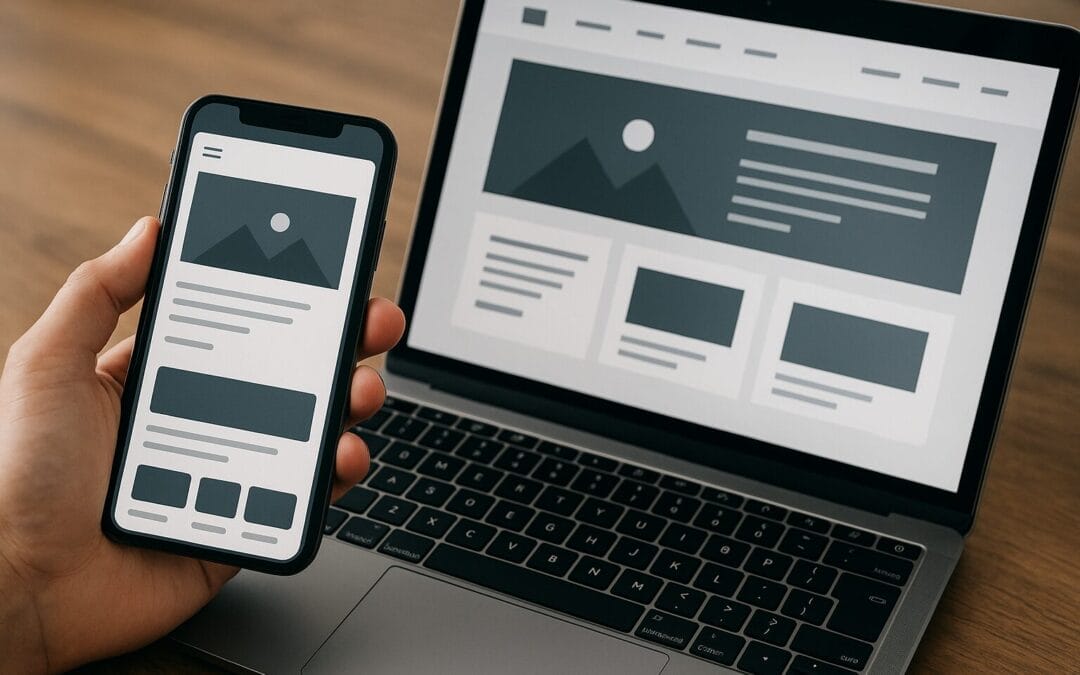
Over 60% of local searches start on mobile. If your site isn’t optimized for mobile devices, you’re missing a huge piece of the Indianapolis market — especially commuters on I-465 or people browsing while strolling Mass Ave. Mobile-first design means designing for smaller screens first, then scaling up to desktop.
Understanding Your Indianapolis Audience
Before you change fonts or colors, know who you’re designing for. Who’s your ideal customer in Indianapolis? What neighborhoods do they live in? What do they care about — quick service, family-friendly options, eco-friendly products? Answering these questions will guide every design decision.
Create local personas
-
Example persona: “Busy parent in Carmel” — values child-friendly facilities and weekend availability.
-
Example persona: “Young professional in Broad Ripple” — values aesthetics, online reservations, and delivery options.
-
Example persona: “Contractor in Fort Wayne traveling to Indy” — needs clear pricing and quick contact options.
Use local language and landmarks
Sprinkle local references naturally — not every paragraph — to signal relevance to Google and to your visitors. Mentioning “near Lucas Oil Stadium” or “minutes from Monument Circle” in the right places can reassure users and help with local search visibility.
Core Design Principles That Convert
Good design isn’t just decoration. It’s a strategy to guide users toward a goal: buying a product, booking an appointment, or calling you. Here are core principles to apply.
Simplicity and clarity
Less is often more. Don’t clutter your homepage with every service you offer. Lead with the most important action: “Book an appointment,” “Order online,” or “Get a free quote.” Use whitespace to let content breathe — your site should feel like a clean shop window, not a swap meet.
Visual hierarchy
Guide the eye. Use size, contrast, and placement to prioritize information. The most important element (your CTA) should be prominent and repeated in logical places. Think of your site as a well-designed city map where key destinations are highlighted.
Color palette and branding
Use colors intentionally. Choose a primary color that aligns with your brand personality and a contrasting accent color for CTAs. If your business is in a creative area like Mass Ave, you might go bolder; if you offer financial or legal services, a conservative palette builds trust.
Typography and readability
Pick readable fonts and consistent sizes. Headings should be larger, body text should be comfortable on screens (16px or larger), and line length should be around 60–80 characters for optimal reading. Avoid too many font families — two complimentary fonts are enough.
User Experience (UX) Essentials
UX is where design meets function. A pretty site that’s frustrating to use loses customers quickly. Let’s cover the must-haves.
Clear navigation and information architecture
Set up simple navigation with 5–7 top-level items max. Use descriptive labels: “Services,” “Menu,” “Get a Quote,” rather than vague terms. Include a visible phone number in the header — local users love calling directly rather than filling out forms.
Speed and performance
One extra second of load time can decrease conversions dramatically. Optimize images, use a performant host, and leverage caching. Google’s PageSpeed Insights is a handy tool; aim for fast server response, compressed images, and minimized scripts.
Accessibility and inclusivity
Accessible sites reach more customers and avoid potential legal pitfalls. Use proper alt text for images, ensure high-contrast text, make forms keyboard-friendly, and provide clear labels. Think of accessibility as widening the door to your Indianapolis shop so everyone can walk in.
Conversion-Focused Design Elements
Design for a purpose: turning visitors into customers. Here are practical elements that directly impact conversions.
Make CTAs obvious and persuasive
Your call-to-action should be clear, benefit-driven, and action-oriented. Instead of “Submit,” use “Schedule Your Free Estimate” or “Order for Pickup.” Position CTAs at the top, middle, and bottom of long pages so visitors don’t have to hunt.
Use trust signals and social proof
Local customers like to see proof. Display reviews from Google or Yelp, local awards, and logos of organizations you belong to. Short testimonials with photos add credibility. If you serve neighborhoods like Noblesville or Lawrence, mention that you’re a trusted local provider — but don’t overdo it.
Microcopy matters
Microcopy are those small bits of text that guide and reassure users — error messages, button labels, form field descriptions. Clear microcopy reduces friction and builds confidence during checkout or booking.
Local SEO for Indianapolis: Design Meets Search
Good design and SEO are best friends. A well-structured site sends strong signals to search engines and helps you rank for local queries like “web designer Indianapolis” or “Indianapolis coffee shop.”
Optimize on-page elements
-
Title tags: Keep them concise and include local keywords where appropriate (e.g., “Indianapolis Auto Repair | Fast Service Near You”).
-
Meta descriptions: Use a compelling summary with a call-to-action and local mention.
-
Header tags: Use H1 for page titles, H2/H3 for sections — they should contain keywords and help organize content for both users and search engines.
-
URLs: Keep them short, readable, and keyword-rich (e.g., /carpet-cleaning-indianapolis).
Local schema and structured data
Implement LocalBusiness schema and markup for organization, address, hours, and reviews. This helps search engines display important info directly in the search results — think of it like putting a sandwich board on the sidewalk with your hours and phone number.
Google Business Profile and citations
Claim and optimize your Google Business Profile (GBP). Keep NAP (Name, Address, Phone) consistent across directories like Yelp, Facebook, and local chambers of commerce. Local citations and consistent info improve trust and search rankings.
Content Strategy: Tell Your Local Story
Content is the engine that drives SEO and builds relationships. Local stories resonate with your community; use content to answer questions, highlight your involvement, and educate customers.
Local content ideas
-
Neighborhood guides (e.g., “Best Brunch Spots Near Broad Ripple”) tied to your services.
-
Event-based posts (e.g., how your restaurant participates in Indy’s food festivals).
-
How-to articles and video tutorials relevant to your products.
-
Case studies and before/after projects from local clients.
Blogging and event pages
Blog regularly but focus on quality and local relevance. Use event pages with schema when you host or sponsor local events — this can drive traffic and local awareness. If you serve Indianapolis neighborhoods like Irvington or Southport, call out events or partnerships in those areas naturally.
E-commerce Tips for Small Retailers in Indianapolis
Running an online store in Indy? Your e-commerce design should make buying simple and support local buying behaviors, like curbside pickup or same-day delivery.
Product pages that sell
Use multiple high-quality images, bullet-pointed benefits, and clear pricing. Include local pickup/shipping options prominently. If you offer limited local delivery to neighborhoods like Speedway or Zionsville, mention it as a selling point.
Simplify checkout and provide trust indicators
Reduce required fields, offer guest checkout, and clearly show shipping and return policies. Trust badges, secure payment icons, and short testimonials near the checkout reduce abandonment.
Choosing the Right Tools and Platforms
Pick tools that match your needs and budget. You don’t need every shiny plugin—prioritize reliability, ease of use, and performance.
CMS and platforms
-
WordPress: Great for flexibility and SEO, with many themes and plugins. Ideal for service-based businesses and content-driven sites.
-
Shopify: Best for e-commerce with easy setup and reliable hosting.
-
Squarespace/Wix: Simpler builders for small catalogs and easy maintenance, but may have SEO limitations for large sites.
Key plugins and integrations
For WordPress, consider SEO plugins (Yoast/Rank Math), caching (WP Rocket), image optimization (Smush/Imagify), and security (Wordfence). Integrate Google Analytics and Google Search Console to measure performance.
Hiring a Web Designer in Indianapolis: What to Look For
Hiring locally can be a huge advantage — designers familiar with the Indy market understand local customer habits and can suggest relevant features. Here’s how to vet them.
Portfolio and local experience
Look for a portfolio of small businesses and, if possible, local clients. Ask for examples of sites that improved traffic or conversions. A designer who has worked with businesses in Greenwood, Carmel, or downtown Indianapolis will better understand local expectations.
What to ask during interviews
-
Can you show before/after examples with metrics?
-
How do you approach mobile-first design?
-
What’s your process for SEO and local search optimization?
-
How will you measure success and report results?
-
Do you provide training so I can update the site later?
Maintenance, Security, and Analytics
Launch isn’t the finish line. Ongoing maintenance keeps your site fast, secure, and relevant.
Backups and security practices
Set up daily or weekly backups and store them off-site. Use SSL (HTTPS) — Google and customers expect it. Keep software updated and use firewalls or security plugins to reduce hacks.
Track what matters
Measure metrics tied to business goals: organic traffic, local search impressions, phone calls, form submissions, e-commerce conversion rate, and average order value. Use Google Analytics, Google Search Console, and heatmapping tools (like Hotjar) to understand behavior and iterate.
A/B testing and continual improvement
Web design is never perfect the first time. Run A/B tests on headlines, CTAs, and layouts to discover what converts best. Think of your website like a storefront that gets rearranged based on customer behavior until sales improve.
Budgeting: What Small Businesses in Indianapolis Should Expect
Costs vary depending on complexity. Here’s a rough guide to help you plan.
Cost breakdown
-
DIY builders (Squarespace/Wix): $10–$40/month + domain and plugins.
-
Small WordPress site: $1,500–$6,000 one-time build + hosting and maintenance.
-
E-commerce stores: $3,000–$15,000 depending on functionality.
-
Ongoing costs: Hosting $10–$100/month, maintenance $50–$300/month, SEO and marketing vary widely.
Where to invest and where to save
Invest in clear messaging, mobile optimization, and speed. Save on flashy animations or unnecessary integrations. For local businesses, prioritizing user trust and fast performance gives the best ROI.
Case Studies and Real-World Examples
Let’s make this concrete. Imagine two Indianapolis coffee shops: one with a modern mobile-first site that displays current hours, location map, and a “pre-order” CTA. The other has a slow site with outdated hours. Which one gets the morning rush? The same logic applies to any local business — show what customers need, fast.
Before and after: A hypothetical example
-
Before: Small law firm site with dense text, no CTA, poor mobile layout.
-
After: Clean homepage, prominent “Schedule a Consultation” CTA, local schema, and improved load time. Result: 30% increase in contact form submissions within 3 months.
Practical Next Steps Checklist for Indianapolis Small Businesses
Ready for action? Here’s a checklist you can follow this week and month to improve your site.
-
Week 1: Claim and optimize your Google Business Profile. Add photos, hours, and posts.
-
Week 2: Audit your homepage for mobile responsiveness and speed. Compress images and enable caching.
-
Week 3: Review navigation and CTAs. Make the primary action clear and visible.
-
Week 4: Add local schema and review consistency of NAP across listings.
-
Ongoing: Post one local-focused blog or event page per month and track performance.
Common Mistakes to Avoid
Avoid these pitfalls that I see often with small businesses trying to DIY their web presence.
Pitfall: Trying to do everything at once
Small, iterative improvements beat a chaotic redesign. Prioritize reductions in friction: speed, clear CTAs, and mobile usability first.
Pitfall: Ignoring analytics and feedback
Install tracking from day one and check it regularly. If users drop off on a specific page, make small changes and test again.
Pitfall: Over-optimizing with keywords
Local relevance and user experience trump keyword stuffing. Write naturally for your customers and incorporate targeted phrases where they fit.
Final Thoughts: Think Local, Act Practical
Your website should work as hard as you do. Design choices that prioritize speed, clarity, and local relevance will pay dividends in Indianapolis’ competitive neighborhoods. Whether you’re a coffee shop in Fountain Square, a law office downtown, or a boutique in Broad Ripple, the same rules apply: make information easy to find, make actions simple to take, and build trust quickly.
Summary
Designing a website for a small business in Indianapolis means balancing local relevance, performance, and clarity. Start with mobile-first design, speed optimization, clear CTAs, and local SEO. Use trust signals like reviews and schema, keep content locally focused, and measure results with analytics. Invest where it matters — UX, mobile experience, and local search visibility — and iterate based on real user behavior. With a strategic approach, your website can become your most effective local marketing channel.
Frequently Asked Questions (FAQs)
1. How important is mobile optimization for Indianapolis businesses?
Extremely important. Most local searches occur on mobile devices. Mobile-friendly sites rank better for local queries and provide a better user experience for commuters, shoppers, and people searching on the go.
2. Should I include neighborhood names (like Broad Ripple or Carmel) on my site?
Yes — but use them naturally. Mention neighborhoods or nearby landmarks where relevant (e.g., service areas, testimonials, or blog posts) to improve local relevance without keyword stuffing.
3. How quickly can I expect to see results from web design changes?
Some changes like speed improvements or clearer CTAs can increase conversions quickly (days to weeks). SEO-driven results take longer — usually 3–6 months to see meaningful organic traffic gains.
4. Do I need a professional web designer or can I use a DIY website builder?
It depends on your needs and budget. DIY builders are fine for simple sites, but a professional designer is recommended if you need custom features, strong SEO, or a site built to convert. Local designers can also offer insights into Indianapolis-specific behavior.
5. What local SEO tactic provides the best ROI for small Indianapolis businesses?
Optimizing your Google Business Profile combined with consistent NAP citations across directories offers one of the best ROI. It improves visibility for “near me” searches and drives calls and visits quickly.