Introduction — Why Web Design Matters for Small Businesses in Indianapolis
Running a small business in Indianapolis? You know how competitive the local market is — from shoppers on Massachusetts Avenue to families near Broad Ripple, customers expect convenience, clarity, and trust when they search for services online. Your website often acts as the first handshake. So, how do you make that handshake firm and memorable? With smart web design.
In this guide I’ll walk you through practical, local-focused web design tips that help small businesses in Indianapolis look professional, rank better in search engines, and convert casual visitors into paying customers. Think of your website like a storefront on Meridian Street: curb appeal matters, layout matters, and a clear sign (your CTA) matters even more.
Know Your Indianapolis Audience
Before you design anything, ask: who are my customers in Indianapolis? Are they downtown office workers, families in the suburbs, students, or visitors? Understanding local behavior shapes content, layout, and features.
Create customer profiles
- Identify age groups, common needs (food, services, shopping), and typical search queries (e.g., “best brunch near Monument Circle”).
- Tailor tone — casual and friendly for a coffee shop, more formal for legal or medical services.
Map typical user journeys
From search to booking: how does someone find you, what information do they need, and what steps should they take to convert? Document the path and design to smooth each transition.
Mobile-First and Responsive Design
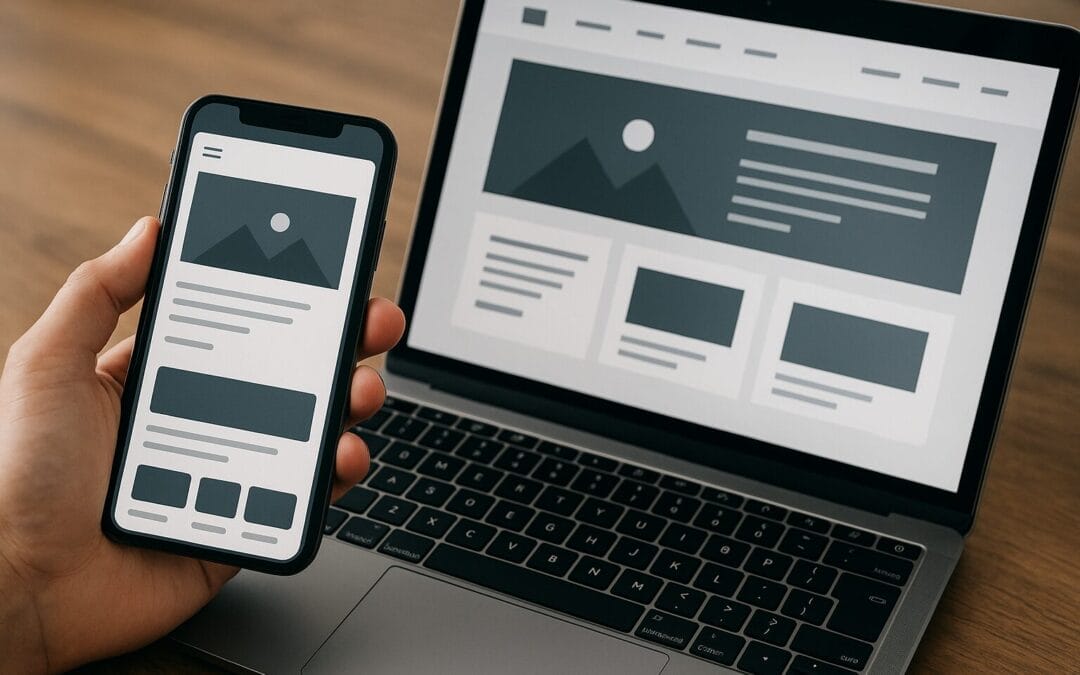
Most local searches happen on mobile. If your site isn’t optimized for phones, you lose customers before they even see your service menu. Think mobile-first — start design for the smallest screen and scale up.
Practical mobile design tips
- Large clickable buttons and clear CTAs (Call To Action).
- Readable fonts on small screens — at least 16px base size.
- Avoid heavy pop-ups that block content on mobile.
Test on actual devices
Simulators are helpful, but nothing replaces testing on real phones and tablets used by your customers.
Speed: Your Website Must Be Fast
Site speed is like the traffic flow into your store. Slow pages are like blocked parking lots — customers won’t wait. Speed impacts user experience and SEO, so prioritize it.
Speed-boosting checklist
- Choose a reliable host with servers near the Midwest or use a CDN (Content Delivery Network).
- Compress and serve optimized images (WebP when possible).
- Minify CSS and JS files and defer non-critical scripts.
- Use browser caching and reduce third-party plugins.
Tools to measure speed
Use Google PageSpeed Insights, GTmetrix, or WebPageTest. Pay attention to Largest Contentful Paint (LCP), First Input Delay (FID), and Cumulative Layout Shift (CLS).
Clear, Localized Messaging and Branding
Visitors should understand what you do and where you operate within 3–5 seconds. Use clear headline copy and local cues to build immediate trust.
Headlines and value propositions
- Headline: What you do (e.g., “Family-run plumbing in Indianapolis”)
- Subhead: How you help (e.g., “Same-day service and honest pricing”)
Local trust signals
- Display your Indianapolis address, neighborhood, and clickable phone number.
- Show badges: BBB, local chamber of commerce, industry certifications.
- Use customer testimonials mentioning local landmarks when appropriate.
User Experience (UX) and Simple Navigation
Good UX is invisible — it makes tasks effortless. Design a navigation system that answers questions a local customer will ask first: hours, services, prices, and how to contact you.
Simplify menus
- Limit top-level menu items to 5–7 choices.
- Use familiar labels: “About,” “Services,” “Pricing,” “Contact,” “Book Online.”
Use visual hierarchy
Make the most important actions — booking, calling, ordering — prominent and repeated across the page.
Conversion-Focused Design: Turn Visitors into Customers
Design with conversion in mind. What’s the one action you want a visitor to take? Make that impossible to miss.
CTAs that work
- Use action verbs: “Book Now,” “Get a Free Quote,” “Order Pickup.”
- Place CTAs above the fold and at logical points in content.
- Use contrasting colors that still match your brand palette.
Simplify forms
Ask for the minimum information needed. Long forms kill conversions. Offer alternative contact options like chat or callback requests.
Local SEO: Get Found By Customers Near You
Ranking for “Indianapolis” and neighborhood-specific searches is essential. Local SEO helps you show up when people look for services near them.
Google Business Profile
- Claim and verify your Google Business Profile (GBP).
- Keep hours current, add photos, respond to reviews, and use relevant categories.
On-page local signals
- Use NAP (Name, Address, Phone) consistently across your site and citations.
- Create city- or neighborhood-specific service pages (e.g., “HVAC repair in Broad Ripple”).
- Embed a Google Map on your contact page.
Local schema markup
Add LocalBusiness schema to your site to help search engines understand your entity and services. This can improve visibility in rich results.
On-Page SEO: Content and Technical Basics
Good on-page SEO is a mix of user-focused content and technical alignment with search engines. Think keywords, titles, meta descriptions, and structured content.
Keyword strategy
- Target local intent keywords (e.g., “Indianapolis dog groomer,” “best pizza near downtown Indianapolis”).
- Mix head terms and long-tail phrases with clear intent.
Title tags and meta descriptions
Write concise, click-worthy title tags (50–60 characters) with local keywords and a compelling reason to click. Meta descriptions should summarize benefits and include a call to action.
Header structure and readability
- Use a logical H1 → H2 → H3 structure for pages.
- Keep paragraphs short, use bullet lists, and highlight key points with bold ().
Content Strategy: Be the Local Authority
Content builds trust and brings traffic. For small businesses in Indianapolis, hyper-local content performs especially well.
Blog topics that work locally
- Local event guides (“Where to watch the Indy 500 in 2026”).
- How-to posts with local context (“Preparing your house for winter in Indianapolis”).
- Case studies and customer stories from local neighborhoods.
Evergreen vs timely content
Balance content that lives for years (how-to guides) with seasonal posts (holiday offers, local events) to attract both steady and surge traffic.
E-commerce and Local Retail Tips
If you sell products online and serve Indianapolis customers, integrate local conveniences to increase conversions.
Offer local pickup and shipping options
- Enable “curbside pickup” with clear time windows.
- Show local shipping estimates and costs up front.
Highlight inventory availability
Let customers know if an item is in stock at your Indianapolis location. That removes friction for buyers who want quick access.
Accessibility and ADA Compliance
Accessibility isn’t optional. Making your site usable for people with disabilities expands your audience, reduces legal risk, and improves SEO.
Core accessibility steps
- Use semantic HTML (proper headings, alt text for images).
- Ensure color contrast meets WCAG standards.
- Make forms navigable by keyboard and provide labels and ARIA where necessary.
Testing for accessibility
Use tools like WAVE, Axe, and manual keyboard testing. Consider a periodic audit to keep the site aligned with evolving standards.
Security and Trust: SSL, Backups, and Privacy
Security equals trust. Customers in Indianapolis want to know their data and payments are safe.
Essential security measures
- Install an SSL certificate (HTTPS).
- Use secure, updated plugins and themes.
- Set up regular backups and a simple restore process.
Privacy and compliance
Display a clear privacy policy and cookie disclosure if you use tracking. This transparency improves trust and can reduce bounce rates.
Analytics and Conversion Tracking
If you can’t measure it, you can’t improve it. Set up tracking to see what works and where visitors drop off.
Key tools to set up
- Google Analytics 4 (GA4) for traffic and behavior insights.
- Google Search Console to monitor search performance and indexing issues.
- Heatmaps and session recordings (Hotjar, Microsoft Clarity) for UX insights.
Track local conversions
Set up goals for calls, direction clicks, contact form submissions, and online bookings. Label them clearly so you can attribute results to campaigns or pages.
A/B Testing and Continuous Improvement
Think of your site as an experiment. Small changes can produce big gains.
What to test first
- CTA text and placement.
- Homepage hero messages and images.
- Form length and input ordering.
How to run tests
Use a reliable A/B testing tool or Google Optimize alternatives, test one variable at a time, and run the test until results are statistically significant.
Choosing the Right CMS and Tools
Your CMS should match your team’s skills and business needs. WordPress remains popular for small businesses because it’s flexible, but hosted platforms like Shopify or Squarespace can be faster to launch for non-technical owners.
CMS decision guide
- WordPress — best for flexibility, SEO plugins, and localized content strategy.
- Shopify — ideal for online stores with simple inventory needs and local pickup.
- Squarespace/Wix — good for quick, visually driven sites with smaller budgets.
Essential plugins and integrations
Look for fast caching, SEO plugins (Yoast, Rank Math), forms (WPForms), and booking plugins if you take appointments.
Working With a Local Designer vs DIY
Should you hire a local Indianapolis web designer or build it yourself? It depends on budget, time, and long-term needs. Both paths work when planned carefully.
When to hire local
- You want hands-on support and someone who understands the local market.
- You need custom integrations (local delivery logistics, complex booking).
- You prefer an agency to handle SEO, design, and ongoing maintenance.
When DIY is okay
Small brochure sites or straightforward online shops can be built with templates and a little guidance. But always prioritize security and SEO basics.
Maintenance: Keep Your Site Healthy
Your website needs regular care — like a shop that’s swept and restocked. Neglect leads to outdated content, security holes, and lost rankings.
Monthly maintenance routine
- Update plugins, themes, and CMS core.
- Review analytics and tweak underperforming pages.
- Test forms and booking flows; check backups.
Local Marketing Integrations
Your website is the hub, but local marketing channels bring people in the door. Make sure everything connects smoothly.
Integrate with local listings and review platforms
- Show Yelp or Google reviews on your site when appropriate.
- Use schema markup for reviews and events.
Email and SMS for repeat business
Collect email addresses and offer local-only promotions to keep customers returning — think neighborhood loyalty.
Examples and Mini Case Studies (Local Flavor)
Let’s imagine a few realistic scenarios to see these tips in action:
Case 1: Family-owned bakery near Fountain Square
- Problem: Low foot traffic on weekdays.
- Solution: Mobile-first site with local event blog posts, Google Business Profile optimization, and an online pre-order system with curbside pickup.
- Result: Increased local pickup orders and a steady weekday sales lift.
Case 2: HVAC startup serving North Indianapolis
- Problem: Competing with established national companies.
- Solution: Local landing pages targeting neighborhoods, clear trust badges, and urgent CTA buttons for emergency services.
- Result: Better rankings for neighborhood searches and an uptick in emergency call conversions.
Practical Launch Checklist for Indianapolis Small Businesses
Use this checklist when building or relaunching your site:
- Mobile-first responsive design implemented and tested on devices.
- Fast hosting + CDN and image optimization.
- Clear local headline and NAP on every page.
- Google Business Profile claimed and optimized.
- Schema markup (LocalBusiness, reviews) added.
- CTA and simplified forms tested.
- Accessibility basics in place (alt text, contrast, semantic HTML).
- Analytics and conversion tracking configured (GA4, Search Console).
- Security: SSL, backups, plugin updates scheduled.
Costs and Timelines — What to Expect
Costs vary. A simple, well-optimized small business site in Indianapolis can range from a few hundred dollars (DIY) to several thousand with a local agency. Ongoing monthly maintenance and marketing are additional but critical for growth.
Timelines: a basic site can launch in 2–6 weeks. More complex projects (e-commerce, integrations) take 8–12+ weeks. Plan for iterative improvements — the launch is the starting line, not a finish line.
Common Mistakes to Avoid
- Ignoring mobile usability — even a pretty desktop site won’t save you.
- Overloading the homepage with too many CTAs or poor hierarchy.
- Neglecting local SEO basics like GBP and consistent NAP.
- Using low-quality images or stock photos that make your brand feel generic.
- Failing to measure results — no data, no improvement.
Action Plan: First 30 Days
Want a simple roadmap to get started? Here’s a 30-day action plan:
- Week 1: Audit current site; claim GBP; set up GA4 and Search Console.
- Week 2: Improve top-level messaging and CTAs, fix mobile issues, and optimize contact info.
- Week 3: Speed improvements (image optimization, caching) and security setup (SSL, backups).
- Week 4: Launch a local content piece (blog or guide) and set up basic conversion tracking.
Conclusion — Make Your Indianapolis Website Work for You
Your website is one of the most valuable assets for a small business in Indianapolis. When you pair thoughtful design with local SEO, fast performance, and conversion-focused elements, you create a digital storefront that brings consistent traffic and more customers through your actual doors. Start with the basics — mobile-first design, clear local messaging, Google Business Profile, and speed — then iterate with analytics and local content. Little improvements compound over time, and before you know it, your site will be a reliable engine for growth.
Frequently Asked Questions (FAQs)
1. How much does a small business website cost in Indianapolis?
Costs vary widely based on complexity. A basic DIY site might cost a few hundred dollars for hosting and a theme, while a professional local agency can charge anywhere from $1,500 to $10,000+ depending on custom design, e-commerce, and integrations. Ongoing maintenance and marketing should be budgeted separately.
2. Do I need a mobile app if I have a website?
Not necessarily. For many small businesses, a well-designed mobile-responsive website is sufficient. Consider an app only if you need offline features, loyalty programs, or frequent push notifications that deliver clear ongoing value to repeat customers.
3. How long before local SEO improvements show results?
Some changes, like updating your Google Business Profile or fixing NAP inconsistencies, can produce visible results within days to weeks. More competitive keyword rankings and content-driven improvements often take 3–6 months, depending on competition and the quality of your efforts.
4. What CMS is best for Indianapolis small businesses?
WordPress is flexible and SEO-friendly for most small businesses. Shopify is often best for retail stores needing robust e-commerce. Squarespace or Wix can be solid for simple brochure sites. Choose based on budget, technical skill, and long-term needs.
5. How do I showcase local reviews on my website?
Embed or display snippets of customer reviews (with permission), use schema markup for review stars, and encourage customers to leave reviews on Google. Showcasing recent, specific testimonials that mention Indianapolis neighborhoods or experiences helps build local trust.