Introduction: Why Indianapolis Small Businesses Need Great Web Design
Have you ever clicked into a website and felt like you’d stepped into a dusty storefront with a flickering sign? First impressions online are just like that—instant and lasting. For small businesses in Indianapolis, your website is often the first handshake, the first smile, and the first impression you make. If it’s slow, confusing, or outdated, potential customers will walk out the virtual door.
In this guide I’ll walk you through practical, proven web design tips tailored for small businesses in Indianapolis. Whether you’re in Fountain Square, Meridian-Kessler, or downtown near Monument Circle, these strategies will help you attract local customers, turn visitors into leads, and build a website that works as hard as you do.
Know Your Audience: Design for Indianapolis Customers
Before you start sketching layouts and choosing fonts, ask yourself: who are your customers and what do they need? The audience in Indianapolis can vary a lot—college students in Broad Ripple, families in Carmel, professionals in the Central Business District. Your website should reflect that.
Define personas
Create simple buyer personas. For example:
- The Busy Parent: Needs quick answers and online booking.
- The Local Professional: Values polished branding and clear pricing.
- The Visitor/Tourist: Wants directions, hours, and local highlights.
Knowing your personas guides layout, calls-to-action, and content tone.
Mobile-First Design: Start Small, Scale Up
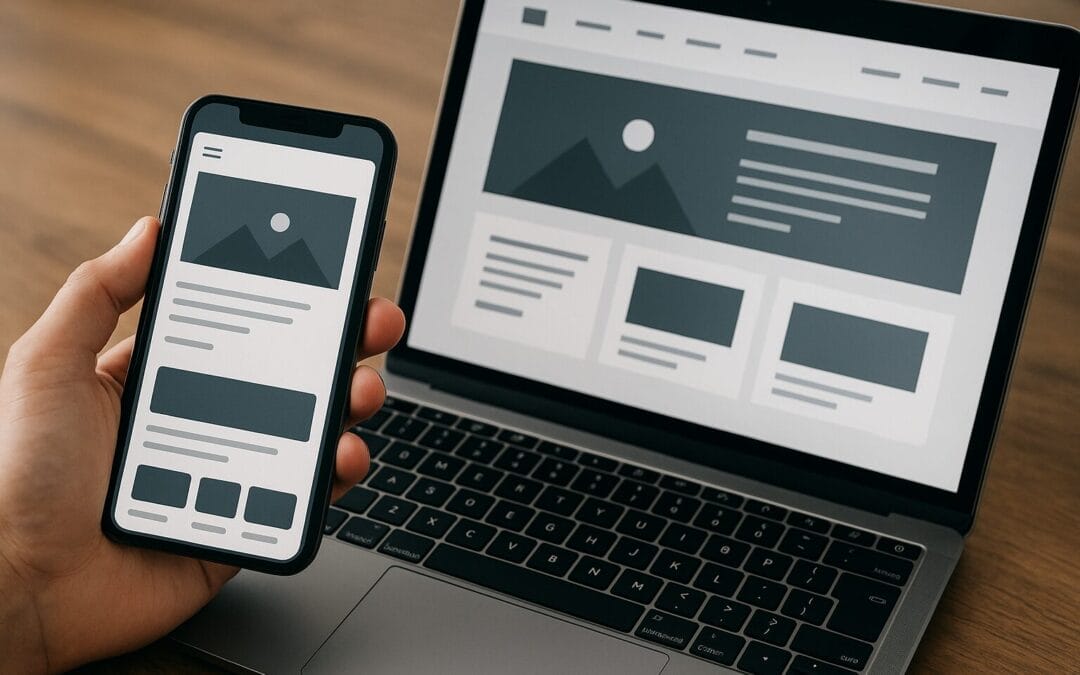
More than half of local searches now happen on mobile. Think of mobile-first design like packing light for a weekend trip—you focus on essentials first and add extras later. Build your design starting with mobile screens, then expand to tablet and desktop.
Key mobile-friendly elements
- Thumb-friendly navigation: Big tap targets and simple menus.
- Readable text: Minimum 16px body font on mobile for legibility.
- Quick contact options: Click-to-call buttons for customers on the go.
Speed Matters: Make Pages Load Fast
Page speed is a silent conversion killer. If your site takes too long, visitors leave—often forever. Think of speed as the difference between a quick drive down Meridian Street and getting stuck in rush hour traffic.
How to improve load time
- Compress images: Use WebP or properly compressed JPEG/PNG files.
- Lazy loading: Load images and media only when they scroll into view.
- Use a CDN: A content delivery network serves assets closer to the user.
- Minify CSS/JS: Remove unnecessary characters and combine files where possible.
- Choose good hosting: Shared hosting is cheap but can be slow; consider managed hosting for better performance.
Design with Clear Branding and Messaging
Your site should quickly answer two questions: “Who are you?” and “Why should I care?” In Indianapolis, where local reputation matters, clear branding builds trust fast.
Elements of strong branding
- Consistent logo and color palette: Use the same brand colors across your site and marketing materials.
- Concise value proposition: Place a short, benefit-driven statement above the fold.
- Visual hierarchy: Use headings and whitespace to guide the eye.
Navigation and User Experience: Make Finding Things Easy
Navigation is the map of your site. If users can’t find what they need in a few clicks, frustration takes over. Think of your site like a downtown neighborhood—clear streets and signage make exploring enjoyable.
Best practices for navigation
- Keep main menu items to 5–7: Simpler menus reduce decision fatigue.
- Use descriptive labels: “Services” beats “What We Do” if it’s clearer for users.
- Include a visible search: Particularly for larger businesses with many services or products.
- Breadcrumbs: Helpful for deeper content and improved UX.
Calls-to-Action: Be Clear About Next Steps
A CTA is like a friendly doorman: it tells your visitor where to go. Every page should have one clear CTA that matches the visitor’s intent.
CTA tips that convert
- Use action words: “Book Now,” “Get a Free Quote,” “Schedule a Visit.”
- Make CTAs prominent: Contrasting colors and whitespace help them stand out.
- Match CTAs to pages: Don’t ask for a sale on an informational blog post—offer a newsletter signup or downloadable guide instead.
Local SEO Essentials: Get Found in Indianapolis
Being visible in local search is mission-critical. When someone searches “plumber near me” in Indianapolis, you want to appear at the top. Local SEO combines technical fundamentals with local signals.
On-page SEO focus
- Title tags and meta descriptions: Include “Indianapolis” and your service but keep it natural.
- Local landing pages: If you serve neighborhoods like Fishers or Greenwood, create specific pages targeting those areas.
- Schema markup: Use LocalBusiness schema to highlight address, hours, and services to search engines.
Google Business Profile
Claim and optimize your Google Business Profile (GBP). Add photos, local business categories, accurate hours, and respond to reviews. For customers in Indianapolis, an updated GBP can mean the difference between a phone call and being overlooked.
Content Strategy: Tell Your Story and Solve Problems
Content is how you build trust and authority. It’s not enough to list services—write content that answers questions and helps customers decide.
Types of content that work locally
- Service pages: Clear descriptions of what you offer and who you serve.
- Local guides: “Best Cafes Near The Indiana State Museum” style posts can attract tourists and locals.
- How-to blogs: Quick tips relevant to your niche (e.g., “How to Prepare Your Home for Winter in Indianapolis”).
- Case studies and testimonials: Real stories from local customers build credibility.
Accessibility: Make Your Site Inclusive
Accessibility isn’t optional—it’s smart design and good business practice. An accessible site reaches more customers, reduces legal risks, and improves usability for everyone.
Practical accessibility steps
- Alt text for images: Describe images for screen readers and SEO.
- Keyboard navigation: Ensure users can navigate without a mouse.
- Contrast and font sizes: Make sure text is readable for folks with vision challenges.
Conversion Optimization: Turn Visitors into Customers
Traffic is great, but conversions are the point. Conversion Rate Optimization (CRO) focuses on nudging users to take action—whether that’s booking a service, calling you, or subscribing.
Simple CRO tactics
- A/B testing: Test headlines, CTA colors, and button copy to see what performs better.
- Trust signals: Display local awards, BBB badges, and customer reviews.
- Streamline forms: Ask only for essential information—fewer fields equals higher completion.
E-commerce and Online Bookings: Ready to Sell Online?
If you sell products or accept bookings online, your checkout or booking flow must be smooth. Think of it like a well-staffed register at a busy Indianapolis festival—fast, accurate, and friendly.
Checklist for e-commerce/booking
- Secure checkout (HTTPS): Essential for trust and SEO.
- Guest checkout: Don’t force account creation.
- Clear shipping and return policies: Reduce friction and buyer hesitation.
- Real-time booking availability: Sync calendars to prevent double-bookings.
Security and Trust: Protect Customers and Your Reputation
Security matters more than ever. A hacked site is not only embarrassing—it’s harmful to your customers and business.
Security basics
- SSL certificate: Serve your site over HTTPS.
- Regular backups: Keep off-site backups in case of emergencies.
- Software updates: Keep your CMS, plugins, and themes up to date.
- Strong passwords & 2FA: Protect admin accounts with complex passwords and two-factor authentication.
Choosing the Right CMS and Hosting
Which platform should you pick? The answer depends on your needs. WordPress is flexible and great for content-driven businesses. Shopify is ideal for e-commerce. For small, single-location shops, a simple managed platform might be easiest.
Questions to guide your choice
- How often will you update content? If often — choose a CMS that’s easy to edit.
- Will you sell online? If yes — choose an e-commerce-capable platform.
- Do you need technical support? Managed hosting or a local agency can be worth the cost.
Analytics and Tracking: Measure What Matters
You can’t improve what you don’t measure. Set up analytics to understand how people find and use your site. Think of analytics as a compass for your digital strategy.
Essential tracking
- Google Analytics 4: Track user behavior and conversions.
- Google Search Console: Monitor search performance and index issues.
- Event tracking: Track clicks, form submissions, and phone taps as goals.
Testing and Maintenance: Keep Your Site Healthy
A website is never “done.” Regular testing and maintenance prevent small issues from becoming big problems.
Ongoing maintenance checklist
- Monthly backups and updates: Plugins, themes, and core updates.
- Quarterly content audit: Refresh outdated pages and add new local content.
- Bi-annual UX review: Ask real users to complete common tasks and note friction points.
Working with a Local Designer or Agency in Indianapolis
Hiring locally can be a big advantage. Local designers understand the market and can meet in person. But not all designers are created equal—know what to ask.
Questions to ask potential partners
- Who are your local clients? Ask for examples of work for Indiana businesses.
- What’s your process? Look for clear discovery, milestones, and testing phases.
- Do you handle SEO and performance? A beautiful site is useless if no one finds it.
- What ongoing support do you offer? Clarify maintenance, updates, and costs.
DIY vs Agency: Which Path Should You Take?
Budget matters, and so does time. If you’re comfortable with a learning curve and have limited funds, DIY using a platform like Squarespace or Wix might be fine. If you want competitive advantage and a custom experience, an agency or freelance developer may be worth the investment.
Pros and cons
- DIY: Lower cost, faster to launch, but limited customization and scalability.
- Agency: Higher cost, professional polish, and ongoing support—but requires careful selection.
Local Marketing Integration: Connect Your Website to Offline Promotion
Your website shouldn’t operate in a vacuum. Integrate it with offline marketing—print, events, and local partnerships. For example, if you sponsor a local festival or have a booth at the Indianapolis Motor Speedway events, link that activity back to a landing page with photos, testimonials, and a special offer.
Ways to integrate online and offline
- Unique landing pages for events: Track results from QR codes or printed URLs.
- Promote reviews in-store: Encourage customers to leave Google reviews by scanning a QR code.
- Collect emails at events: Use simple forms so you can follow up later with targeted offers.
Local Content Ideas That Work in Indianapolis
Need inspiration? Localized content helps you connect with community members and rank for local search terms. Here are some quick ideas:
- “Best of Indianapolis” lists: Roundups that tie your business into local attractions.
- Neighborhood service pages: Pages that mention specific areas you serve, like Broad Ripple or Lawrence.
- Seasonal guides: “Preparing for an Indianapolis winter” or “Summer events near White River State Park.”
- Local case studies: Showcase work for nearby clients to build trust.
Photography and Visuals: Use Local Images
Stock photos are fine, but local photos build authenticity. Use images of your actual shop, team, and local landmarks to show you’re rooted in the community. Visuals tell trust-building stories faster than text.
Visual tips
- High-quality hero images: A strong first image sets tone and trust.
- Team photos: Faces create personal connections.
- Before-and-after galleries: Great for contractors, salons, and service businesses.
Technical SEO and Structured Data
Technical SEO makes your site easy for search engines to crawl and understand. Think of it as putting proper labels and signs on everything in your shop so customers (and search engines) can find what they need.
Key technical tasks
- XML sitemap: Submit it to Google Search Console.
- Structured data: Use LocalBusiness, Product, and FAQ schema where relevant.
- Canonical tags: Prevent duplicate content issues.
- Robots.txt: Ensure it’s not blocking critical content.
Measuring Success: KPIs That Matter
How will you know your web design improvements are working? Pick a handful of key performance indicators (KPIs) and monitor them consistently.
Suggested KPIs
- Organic traffic: Are more people finding you through search?
- Conversion rate: Percentage of visitors who complete desired actions.
- Bounce rate and time on page: Are visitors engaging with your content?
- Pages per session: Are users exploring your site?
- Phone calls and form submissions: Track these as direct business leads.
Cost vs Value: Investing in Web Design the Smart Way
Web design is an investment. A cheap site may save money upfront but cost you customers long-term. Think about lifetime value: how much is a new customer worth to your business? If a better website attracts just a few extra customers a month, it can pay for itself quickly.
Budgeting tips
- Start with a minimum viable site: Launch with essentials and iterate.
- Allocate budget for SEO and content: Design is only half the battle—traffic matters.
- Plan for ongoing maintenance: Set aside 10–20% of initial design costs annually for updates and hosting.
Checklist: Quick Wins for Indianapolis Small Business Websites
- Mobile-first layout and quick load times
- Visible contact information and click-to-call buttons
- Optimized Google Business Profile
- Local landing pages for neighborhoods you serve
- Clear calls-to-action on every page
- High-quality local photos and testimonials
- Basic accessibility features and SSL
- Analytics set up to track conversions
- Regular backups and updates
Real-World Example (Hypothetical)
Imagine “Hoosier Home Repair,” a small contractor in Indianapolis. By switching to a mobile-first site, adding local landing pages for Lawrence and Speedway, optimizing Google Business Profile photos, and adding click-to-call buttons, they saw a 35% increase in phone leads within three months. The secret wasn’t a flashy redesign—it was focusing on local visibility, speed, and clear CTAs.
Final Thoughts: Build for People First, Search Engines Second
Great web design starts with people. When you create a site that answers real questions, is fast, and makes transactions simple, search engines will reward you. For small businesses in Indianapolis, that means combining local SEO with practical UX, solid technical fundamentals, and ongoing maintenance.
Whether you’re opening a new shop in Broad Ripple or refreshing a long-standing local brand near Mass Ave, these tips will help you build a website that brings customers through the door.
Summary
Designing a website for your Indianapolis small business is about clarity, speed, and local relevance. Start with mobile-first layouts, optimize for local search, use local visuals and content, and measure what matters. Prioritize user experience—fast load times, clear navigation, and strong CTAs—and invest in accessibility and security. Whether you go DIY or hire a local agency, keep iterating. Your website should grow with your business and serve as a trusted storefront for customers across Indianapolis and nearby neighborhoods.
Frequently Asked Questions
-
Q: How important is mobile design for small businesses in Indianapolis?
A: Extremely important. A large share of local searches and directions requests come from mobile users. Mobile-first design ensures fast load times, readable text, and easy calls, which improve conversions.
-
Q: Do I need a Google Business Profile if I have a website?
A: Yes. Google Business Profile improves local visibility in map packs and search results, allows customers to leave reviews, and provides quick info like hours and directions—critical for local customers in Indianapolis.
-
Q: How often should I update my website’s content?
A: Aim for ongoing updates—at least quarterly. Add new blog posts, update service pages, refresh images, and keep customers informed about events or promotions. Regular updates also help SEO.
-
Q: Can I handle web design myself or should I hire a professional?
A: It depends on your skills, time, and goals. DIY tools are great for simple sites, but if you need advanced SEO, custom functionality, or high conversion rates, hiring a professional or local agency is often worth the investment.
-
Q: What’s the most cost-effective way to improve my current website?
A: Start with quick wins: optimize images and speed, add clear CTAs, claim and optimize your Google Business Profile, and ensure contact info is prominent. These changes often yield measurable improvements without a full redesign.