Welcome — if you run a small business in Indianapolis and you’ve ever felt overwhelmed by the idea of building or improving a website, you’re in the right place. This guide walks through practical, actionable web design tips tailored for small businesses in Indianapolis. I’ll cover everything from layout and branding to local SEO and performance, using plain language and real-world analogies so you can take immediate steps that actually move the needle.
Why great web design matters for Indianapolis small businesses
Think of your website as your storefront on Meridian Street — only it’s open 24/7 and serves customers who might be in Broad Ripple, Carmel, or downtown Indy. A professionally designed site builds trust, helps customers find you, and turns casual browsers into paying clients. For small businesses in Indianapolis, the website often acts as the first handshake — and you want that first impression to be firm, warm, and memorable.
Start with clear goals: What do you want your site to do?
Before you choose a color palette or hero image, ask yourself: What’s the number one thing my site must accomplish? Common goals include:
- Generate local leads (phone calls, contact forms)
- Drive in-store traffic or appointments
- Sell products online
- Showcase services and pricing
Having a clear primary goal guides every design decision. If your goal is phone calls from Indianapolis customers, make the phone number front and center — not hidden in the footer.
Embrace mobile-first design
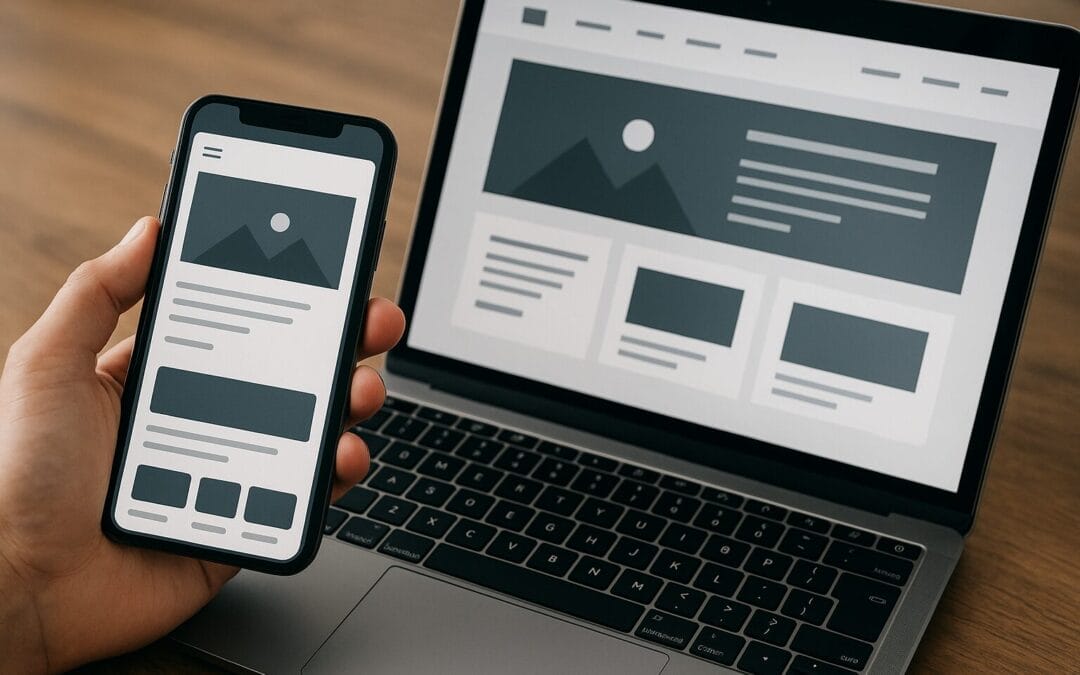
More people search for local businesses on phones than on desktops. If your site isn’t optimized for mobile, you’re handing customers to competitors in Fishers or Carmel without a fight. Mobile-first design means starting the design process with smartphones in mind: simplified navigation, large tap targets, and concise content.
Tip: Test your pages on a phone, not just in a simulator. Walk into a coffee shop in downtown Indianapolis and open your site — does it feel snappy and readable?
Keep navigation simple and predictable
Navigation is like a city map. If people can’t find the library (your contact page) or the museum (your services), they’ll leave. Use clear menu labels such as “Services,” “Pricing,” “Portfolio,” and “Contact.” Limit top-level menu items to 5–7 choices. For small businesses in Indianapolis, consider a prominent “Get a Quote” or “Book Online” button in the header.
Use breadcrumbs and clear CTAs
Breadcrumbs help users understand where they are on your site, especially for service pages or blog content. And calls-to-action (CTAs) should be obvious: contrast color, short text (e.g., “Call Now,” “Book Appointment”), and repeated in key spots without being spammy.
Design for local trust: show you’re an Indianapolis business
Local customers like to feel they’re dealing with neighbors. Use elements that communicate locality:
- Images of your shop or team in recognizable Indy neighborhoods
- A clear local phone number (avoid generic 800 numbers)
- Customer testimonials from Indianapolis-area clients
- Local schema markup and a Google My Business link
These signals build trust and improve local search visibility, especially when combined with consistent NAP (Name, Address, Phone) across your site and directory listings.
Prioritize page speed — every second counts
Slow pages lose customers. Imagine waiting at a red light on I‑65 while a competitor’s site is a green arrow — you’ll probably jump ship. Speed affects user experience and SEO. Key speed optimizations include:
- Use compressed, properly sized images (WebP when possible)
- Enable browser caching and GZIP compression
- Minimize unnecessary JavaScript and third-party scripts
- Choose fast hosting close to your audience
Run a speed test (Google PageSpeed Insights or Lighthouse) and prioritize fixes with the biggest impact — usually images, render-blocking scripts, and hosting.
Pick the right CMS for your business
Choosing a content management system (CMS) is like choosing a toolbox. For most Indianapolis small businesses, WordPress offers flexibility, massive plugin support, and an easy editor. Platforms like Squarespace, Wix, or Shopify (for e-commerce) are good if you prefer simpler, managed solutions.
Consider these factors:
- How often will you update content?
- Do you need e-commerce or online bookings?
- Does your team want full control or a managed setup?
Focus on conversion-driven layouts
Your design should direct attention like a well-signed street in Fountain Square — guiding visitors to where you want them to go. Use a clear hierarchy: headline, subheadline, hero image, and a primary CTA above the fold. Follow up with supporting benefits, social proof, and a secondary CTA.
Create landing pages for specific services and neighborhoods
If you offer plumbing services or boutique retail in Indianapolis, create service-specific pages and neighborhood landing pages that speak directly to Haughville, Castleton, or Meridian-Kessler residents. Tailored pages help local SEO and resonate more with visitors searching “plumber near me in Indianapolis.”
Use high-quality, authentic visuals
Stock photos are convenient, but too many make your site look generic. Invest in professional photography of your team, interior, and finished work. Authentic images build credibility and tell a story native to Indianapolis.
Pro tip: Use photos that show local landmarks subtly — a restaurant shot with Monument Circle in the reflection can add local flavor without being tacky.
Write user-focused content (not SEO-first fluff)
Good web copy speaks to the visitor’s problem and shows the path to a solution. Use plain language, short paragraphs, and headings. Answer common questions upfront: “How long does service take?” “What areas in Indianapolis do you serve?”
While writing for users, sprinkle in relevant keywords naturally: “Indianapolis web design,” “small business web design Indianapolis,” and long-tail phrases like “affordable website design for Indianapolis restaurants.” Avoid keyword stuffing — search engines reward helpful content.
Local SEO essentials for Indianapolis
If you want customers from Indy streets to find you, local SEO isn’t optional. Here’s what to do:
- Claim and optimize your Google Business Profile (GBP). Add photos, hours, and regular posts.
- Complete your website’s contact page with structured data (LocalBusiness schema).
- Collect and respond to reviews — both positive and negative — promptly.
- Get listed in local directories (Indy Chamber, Yelp, local blogs).
- Create location-specific content (events, community involvement, local case studies).
Local backlinks — from neighborhood blogs, local news sites, or business partnerships — are especially valuable for Indianapolis businesses because they signal community relevance.
Accessibility: design for everyone
Accessibility is about fairness and avoiding missed customers. Ensure:
- Text contrast is sufficient for readability
- Images have descriptive alt text
- Forms have labels and keyboard-friendly navigation
- Video content has captions
Accessibility also improves SEO and lowers legal risk. Think of it as widening the sidewalk so everyone can walk comfortably past your storefront.
Leverage social proof and local credibility
People want to know they can trust you. Build credibility with:
- Customer testimonials with photos and names
- Case studies showing before/after results
- Local badges (member of Indianapolis Chamber of Commerce, Indy tourism partnerships)
- Press mentions and community involvement
Highlight recent customer stories from neighborhoods like Broad Ripple or Irvington to connect with local audiences.
Make contact effortless
Your contact page should feel like an open door. Keep it simple:
- Visible phone number in header and footer
- One-click call on mobile
- Short contact form (name, phone/email, brief message)
- Clear directions, parking notes, and hours
Consider adding a chat widget if you or your team can respond quickly — visitors appreciate real-time help and it can increase conversions.
Integrate analytics and track the right metrics
Design decisions should be driven by data. Start with Google Analytics and Google Search Console, and track:
- Traffic by source (organic, paid, social, direct)
- Top landing pages and bounce rates
- Conversion goals (calls, form submits, purchases)
- Site speed and mobile performance
Set up event tracking for button clicks (e.g., “Call Now”) so you know which CTAs actually drive business.
Security, backups, and maintenance
Imagine losing months of orders or content — it happens. Protect your site with:
- SSL certificate (https)
- Regular backups stored offsite
- Routine software updates for themes and plugins
- Strong passwords and two-factor authentication for admin accounts
Maintenance plans are a smart investment for small businesses that don’t have an in-house webmaster.
Design on a budget: where to invest and where to save
Small budgets require choices. Prioritize spending on the things that drive revenue and trust:
- Mobile-friendly, fast theme or template
- Professional photos of your business/team
- Clear conversion paths (CTAs, booking systems)
- Local SEO setup (GBP, schema, citation consistency)
You can save on custom bells and whistles early on. Use a clean template that you can upgrade later. Think of it as building a sturdy house before worrying about landscaping.
Choosing a web designer or agency in Indianapolis
Looking to hire? Here’s how to pick someone who understands local businesses:
- Ask for local case studies — do they have work for Indianapolis clients?
- Check reviews and references, and call previous clients if possible
- Make sure they speak plain English — not just technical jargon
- Agree on KPIs up front (traffic, calls, bookings) and reporting cadence
- Understand ongoing costs: hosting, maintenance, and updates
Remember: a cheaper quote isn’t always cheaper in the long run. Quality design improves conversions and reduces headaches.
E-commerce tips for Indianapolis small businesses
Selling online adds layers: product pages, inventory, shipping, and legal requirements. For local shops expanding online:
- Enable local pickup or delivery options for Indianapolis customers
- Use clear product photography and descriptions
- Simplify checkout to reduce cart abandonment (guest checkout, minimal fields)
- Use trustworthy payment processors and display security badges
Run local promotions or tie in-store events to your online store — for example, a “Shop Local Indy Weekend” discount to encourage neighborhood customers.
Use storytelling and local content to stand out
Storytelling makes your business memorable. Share the “why” behind your brand and include local anecdotes. Did you start your bakery on Massachusetts Avenue? Did you partner with a local nonprofit during the Circle City’s special event? These stories humanize your brand and resonate with local customers.
Optimize for voice and “near me” searches
People in Indianapolis often use voice search on their phones: “Where’s the best pizza near me?” To capture this traffic:
- Use conversational phrases in FAQs and service pages
- Create short, direct answers for common questions
- Keep your address and hours easily accessible for voice assistants
Voice SEO favors clear, concise answers — imagine responding to a friend’s question out loud.
Local content ideas that actually help SEO
Creating content shouldn’t be a guessing game. Here are local content ideas that attract Indianapolis traffic:
- “Best-of” lists (e.g., best brunch spots in Indianapolis — if you’re a food supplier)
- Local event roundups (Indy festivals, sports events, parades)
- Customer stories tied to neighborhoods (service stories from Noblesville or Irvington)
- How-to guides for local problems (e.g., weather-related tips for home services in Indy)
These pieces connect with locals and provide shareable content for social media.
Track ROI: how to measure whether your design is working
Design is an investment. Measure Return on Investment (ROI) by tracking:
- Leads generated (calls, form submissions)
- Bookings or sales attributed to the website
- Average order value and conversion rate improvements
- Cost-per-lead from paid campaigns tied to landing pages
Compare metrics before and after redesigns. Small improvements in conversion rates can have big effects on revenue for a small business.
Common web design mistakes Indianapolis small businesses make (and how to fix them)
Learn from common pitfalls:
- Hidden contact info — fix: put phone and address where visitors expect them
- Overloaded homepages — fix: streamline and focus on one main CTA
- Slow image-heavy pages — fix: compress images and lazy-load content
- No clear local signals — fix: add GBP, structured data, and local testimonials
A quick website audit can reveal these issues in 30–60 minutes.
A simple website launch and post-launch checklist
Ready to launch a new or redesigned site? Walk through this checklist before you flip the switch:
- Test on multiple devices and browsers
- Confirm GA and Search Console are connected
- Check forms and booking flows for functionality
- Set up 301 redirects from old URLs to new ones
- Verify schema and meta titles/descriptions for main pages
- Run a speed test and address major issues
- Backup the site and document admin credentials securely
Tools and resources recommended for Indianapolis small businesses
Here are a few tools I often recommend:
- Google PageSpeed Insights / Lighthouse — performance checks
- Google My Business — local visibility
- WordPress + Elementor or Gutenberg — flexible CMS options
- Shopify — for e-commerce simplicity
- Canva or Adobe Lightroom — for simple image editing
- Hotjar or Microsoft Clarity — for heatmaps and user behavior
Use local meetup groups or the Indianapolis Chamber for networking and learning about local digital marketing opportunities.
How to maintain momentum: small monthly tasks that pay big dividends
After launch, don’t let the site gather cobwebs. Monthly tasks that keep your site healthy and growing include:
- Publishing one local-focused blog post or customer story
- Checking site speed and resolving regressions
- Answering and soliciting new reviews
- Monitoring forms and conversions for changes
- Updating seasonal promotions and hours
If you’re juggling a business and a website, consider a monthly maintenance plan from a local web professional in Indianapolis.
Case study examples (hypothetical but realistic)
Let me paint two short examples to show how these tips come together:
- Indy Coffee Roasters: Before redesign, their site used generic stock photos and no mobile CTA. After switching to a mobile-first template, adding authentic shop photos, a prominent “Order Beans” CTA, and local SEO (GBP + neighborhood landing pages), phone orders increased 25% and online subscriptions doubled.
- Southside HVAC Service: They were losing calls because hours and emergency contact info were buried. A redesign prioritized a click-to-call header, customer testimonials, and a service area map. Result: calls increased, and their Google reviews improved after they asked satisfied customers for feedback.
These aren’t magic tricks — they’re focused improvements that remove friction and build trust.
Final checklist: quick wins to implement this week
Want immediate impact? Try these quick wins:
- Put your phone number in the header and make it clickable
- Compress three large images on your homepage
- Claim or update your Google Business Profile with latest photos and hours
- Publish one local-focused blog post or testimonial
- Run a PageSpeed Insights test and fix the top recommendation
Small changes add up. If you implement these within a week, you’ll likely see improvements in user experience and local visibility.
Summary
Designing a website that works for small businesses in Indianapolis is part strategy, part empathy. Start with clear goals, prioritize mobile-first and speed, use authentic local content, and optimize for conversions and local search. You don’t need a massive budget — invest in the elements that build trust (photos, testimonials, clear CTAs) and keep your site maintained. With steady improvements and a focus on the Indianapolis community you serve, your website will become a reliable source of leads, customers, and long-term growth.
Frequently Asked Questions
1. How much should a small business in Indianapolis expect to pay for a decent website?
Costs vary widely based on features. A simple DIY or template-based site might cost $500–$2,000. A professionally designed WordPress site with custom branding and local SEO can range from $2,500–$10,000. E-commerce stores or more complex systems are higher. Focus on expected ROI: a site that converts better often pays for itself quickly.
2. How long does it take to build an effective local business website?
For a basic site with 5–7 pages, expect 2–6 weeks depending on content availability and revisions. More complex sites with custom design, e-commerce, or integrations can take 8–12 weeks or longer. Clear goals and timely feedback speed up the process.
3. Do I need to hire a local Indianapolis web designer?
Not always — remote designers can do great work. But local designers bring advantages: knowledge of neighborhood nuances, easier in-person meetings if needed, and often stronger relationships with local photographers, copywriters, and marketers.
4. What are the most important SEO tasks for an Indianapolis small business?
Prioritize Google Business Profile optimization, consistent NAP listings, on-page SEO for key service and location pages, local content creation, and building local backlinks. Reviews and schema markup also have big local impact.
5. How can I measure whether my new design is successful?
Track leads (calls, form submissions), conversion rates, website traffic growth, and bounce rates on key pages. Compare these metrics before and after the redesign. Set clear KPIs (e.g., increase contact form submissions by 30% in 3 months) and use analytics to measure progress.