Introduction — Why Indianapolis Small Businesses Need Strong Web Design
Have you ever landed on a website and felt instantly lost, impatient, or just plain unimpressed? Your customers feel the same way when they visit a small business site that looks dated, loads slowly, or hides the info people need. In Indianapolis — whether you run a cozy café near Fountain Square, a boutique in Broad Ripple, or a service business downtown — your website is often the first handshake with a potential customer. Make it firm and friendly.
This guide is written for small business owners in Indianapolis who want clear, practical, and SEO-smart web design tips. You don’t need a huge budget or a tech degree to make a website that converts visitors into customers. Think of your website as a storefront window: if it’s tidy, well-lit, and showcases what you offer, people will come in. Let’s make that window impossible to pass by.
Why Good Web Design Matters Locally
Customers Expect Fast, Useful Experiences
People searching from their phones for “best pizza near me” or “plumber in Indianapolis” expect quick answers. If your site takes too long to load or doesn’t display well on mobile, they’ll click away — often to a competitor. In other words, speed and clarity equal trust and more business.
Local Competition Is Real — Stand Out
Indianapolis has a thriving small business scene. You might be up against businesses in Broad Ripple, Carmel, or downtown. A professional, SEO-optimized website helps you outrank competitors on Google and shows locals you’re serious. It’s not enough to be good at what you do; people must see it quickly online.
Start with a Clear Brand and Audience
Define Who You Serve
Before designing anything, ask: who is my ideal customer? Are they families on the north side, students at IUPUI, commuters downtown? Knowing this guides tone, imagery, and functionality — for example, whether to highlight parking info, public transit access, or weekend hours.
Craft a Local Value Proposition
Why should someone choose you over another Indianapolis option? Maybe it’s quicker response times, family recipes, or certified technicians. Put that value proposition front and center on your homepage. Think of it like a neon sign above your front door: make it readable from the curb.
Mobile-First Design: Don’t Treat Mobile as an Afterthought
Responsive vs. Adaptive — Which to Choose?
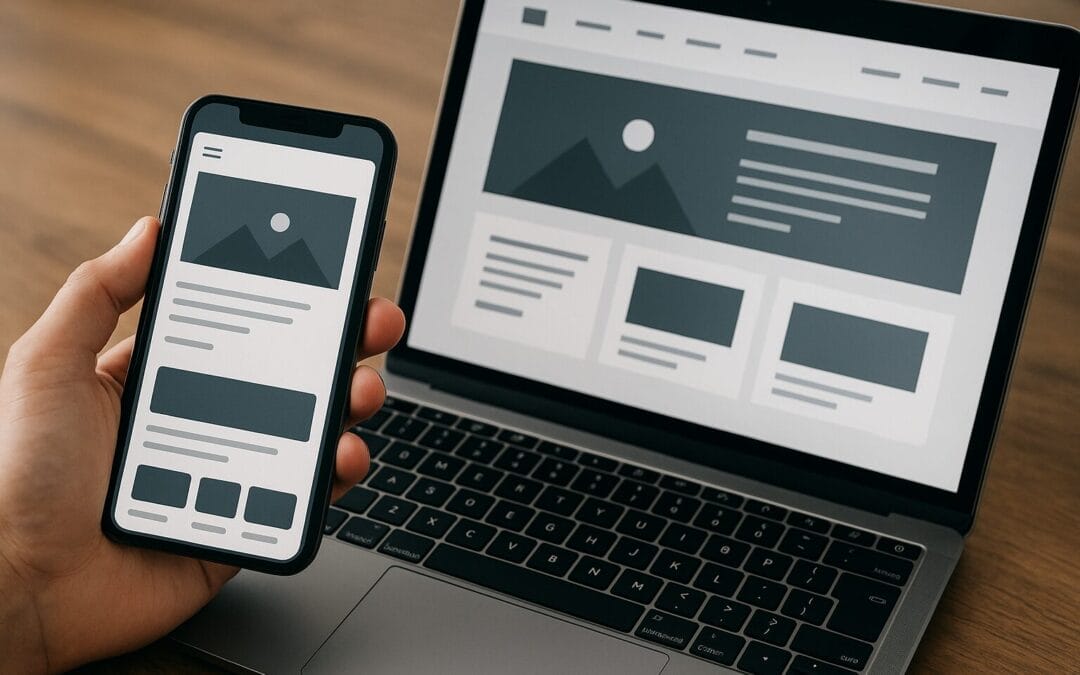
Responsive design adjusts fluidly to all devices and is the recommended approach for small businesses. It’s like a flexible storefront that reshapes based on the customer walking by. Adaptive design uses fixed layouts for different breakpoints, which can be heavier to manage.
Mobile Speed and Usability Tips
-
Keep calls-to-action (CTAs) thumb-friendly and visible near the top.
-
Avoid large pop-ups on mobile; they frustrate users and hurt SEO.
-
Use sticky contact buttons (call, directions) so local customers can reach you instantly.
Make Pages Load Fast — Speed Drives Conversions
Optimize Images and Media
High-res photos look great, but oversized images kill load times. Use next-gen formats like WebP, and compress without sacrificing quality. Think of images like ingredients in a dish: the right amount enhances the flavor, too much overwhelms.
Use Caching and a CDN
Set up browser caching, and consider a Content Delivery Network (CDN) to serve files quickly to visitors across the country. Even within Indianapolis, a CDN makes your site more resilient when traffic spikes — like during a local event or promotion.
Structure Your Site with Clear Navigation
Keep Menus Simple and Logical
A complex menu is like a cluttered map — people give up. Limit top-level menu items to 5–7 choices and use clear labels like Services, Menu, About, Contact, and Book Online. If you have many service pages, use a “Services” hub page that links to specific pages.
Use Breadcrumbs and Sitemaps
Breadcrumbs help users understand where they are; XML and HTML sitemaps help search engines crawl your site. Both improve user experience and SEO. Think of breadcrumbs like trail markers on a nature path — they guide without shouting.
Design Your Homepage to Convert
Above-the-Fold Essentials
The top of your homepage should quickly answer: who you are, what you offer, and how to take the next step. Include:
-
A clear headline with your local focus (e.g., “Family-owned Orthodontics in Indianapolis”).
-
A short supporting sentence that highlights your value.
-
A primary CTA — Book, Call, or Get Directions.
Leverage Social Proof and Trust Signals
Show customer reviews, local awards, certifications, or logos of local organizations you partner with. Trust signals reduce friction and answer the unspoken question: can I trust this business?
Local SEO: Get Found by Indianapolis Customers
Optimize Your Google Business Profile
Google Business Profile (GBP) is essential. Keep hours, photos, services, and posts up to date. Encourage satisfied customers to leave reviews and respond to them — polite, timely responses boost local visibility.
On-Page Local SEO — NAP, Schema, and Keywords
Consistency matters. Your Name, Address, Phone number (NAP) should be identical across your website and listings. Use local schema markup to help search engines understand your business location and offerings. Include geo-modified keywords naturally, like “Indianapolis HVAC repair” — not stuffed.
Content Strategy: Build Trust with Useful Information
Blogging for Local Topics
Write posts that answer common questions your customers have: “How to winterize your Indianapolis home” or “Top family-friendly patios near Downtown Indy.” Local content attracts searchers and positions you as a helpful local authority.
Create Service Pages that Convert
Each service should have its own page with clear descriptions, pricing or price ranges, FAQs, and a CTA. Use local examples and case studies when possible. Service pages function like salesperson pages — thorough, persuasive, and local.
Accessibility: Make Your Site Usable by Everyone
Follow Core WCAG Principles
Accessibility is not optional. Ensure semantic HTML, keyboard navigability, proper alt text for images, and sufficient color contrast. These steps help people with disabilities and can also improve SEO and usability overall.
Readable Fonts and Adequate Contrast
Choose fonts that are legible on small screens and ensure text size is comfortable. Think of text as the voice of your site — it should be easy to hear, even from across the room.
Visual Hierarchy and User Experience
Whitespace, Typography, and Color
Whitespace guides the eye and reduces cognitive load. Pair a strong headline font with a clean body font and limit your color palette to 2–3 brand colors. This creates a visual rhythm that helps users scan and digest information.
Microinteractions and Feedback
Small animations — like button hover effects or form validation messages — make the experience feel polished and human. But don’t overdo it; microinteractions should clarify, not distract.
Make It Easy to Buy or Book
Simplify E-commerce and Booking
For shops and services, remove unnecessary checkout steps and offer guest checkout. For appointments, integrate a booking system that syncs with your calendar. The simpler the path from discovery to purchase, the higher your conversion rate.
Offer Familiar Payment and Security Signals
Accept common payment methods and display security badges and SSL certificates. A locked padlock in the browser bar reassures visitors that their data is safe — and it’s required for SEO trust.
Analytics and Ongoing Testing
Set Up Goals and Funnels
Track key actions: calls, form submissions, bookings, product purchases. Use Google Analytics, Search Console, and heatmaps to see how users navigate and where they drop off. Data gives you direction for improvement.
A/B Testing for Continuous Improvement
Small variations — button color, headline wording, or CTA placement — can significantly impact conversions. Run A/B tests and treat your site like a living project rather than a static brochure.
Choose the Right Tools and CMS
WordPress, Shopify, or Website Builders?
WordPress is flexible for service businesses and blogs, while Shopify is great for retail. Builders like Wix or Squarespace can work for smaller budgets or simple needs. Pick the tool that matches your goals and your team’s skill level.
When to DIY and When to Hire a Pro
If you need a basic brochure site and enjoy learning, a DIY builder can work. But if you want custom functionality, advanced local SEO, or a heavy content strategy, hiring a local web designer with Indianapolis experience will save time and produce better results.
Security and Maintenance — Keep Your Site Healthy
Regular Backups and Updates
Outdated plugins or themes are a common hack vector. Schedule automatic backups and keep software current. Think of this like routine maintenance on a vehicle — small checks prevent big failures.
SSL, Malware Scanning, and User Privacy
SSL is non-negotiable. Implement malware scanning and a basic firewall. Also ensure your site complies with privacy laws: have a clear privacy policy and, if necessary, cookie consent options.
Budget-Friendly Tips for Indianapolis Small Businesses
Prioritize High-Impact Fixes
If your budget is limited, start with speed optimization, mobile responsiveness, a clear CTA, and accurate contact info. These deliver the fastest returns and are often inexpensive to implement.
Free and Low-Cost Resources
-
Google Search Console and Analytics — free insights into site performance.
-
Free image sites (unsplash, pexels) for quality visuals.
-
Starter themes or templates for CMS platforms to reduce design costs.
Example Case Study — An Indianapolis Café
Before: A Slow, Confusing Site
Imagine a local café near Mass Ave with a static homepage, tiny text, no menu, and slow load times. Customers called for directions or checked Yelp instead — resulting in lost walk-ins.
After: Focused Local Improvements
The café implemented these changes: a mobile-first redesign, clear “View Menu” and “Order Online” CTAs, optimized images, and updated Google Business Profile with photos and hours. The result? A noticeable increase in phone calls and online orders within 30 days, plus higher search rankings for “coffee near me” in central Indianapolis.
Actionable 30/60/90-Day Web Design Plan
First 30 Days — Quick Wins
-
Fix critical mobile issues (menu, buttons, and CTAs).
-
Ensure NAP consistency and claim/optimize Google Business Profile.
-
Compress images and enable basic caching.
Next 60 Days — Build Authority
-
Publish 2–4 local blog posts answering customer questions.
-
Implement schema markup for business and reviews.
-
Set up conversion tracking and heatmaps.
90 Days and Beyond — Optimize and Scale
-
Run A/B tests on high-traffic pages.
-
Expand content: service pages and local guides.
-
Review SEO performance and tweak keywords.
Common Web Design Mistakes Indianapolis Businesses Make (and How to Avoid Them)
Too Much Content on the Homepage
Clutter confuses. Keep the homepage focused on primary actions and use internal pages for details.
Ignoring Local Intent
Not optimizing for “near me” searches or missing local contact details costs visibility. Local cues — testimonials from neighborhood customers, local imagery — matter.
Poor Contact Options
If people can’t reach you quickly, they move on. Offer click-to-call, a visible address with map, and an easy contact form.
Design Tips That Help Your Indianapolis Brand Shine
Use Local Imagery and Stories
People love local context. Use photos of your neighborhood, staff, or community events. It builds rapport faster than stock images ever will.
Consistent Branding Across Channels
Match colors, fonts, and messaging in your website, social profiles, and Google Business Profile. Consistency reduces friction and increases recognition — like seeing the same logo on a storefront and its delivery bag.
Working with Local Designers and Agencies
Ask for Local Case Studies
When you vet designers, ask for examples of work for other Indianapolis businesses. Local experience means they understand the market, the typical customer, and local SEO nuances.
Set Clear Goals and KPIs
Whether you hire a freelancer or an agency, define measurable goals: organic traffic, form submissions, booking rates. Regular reporting keeps everyone aligned and accountable.
Wrapping Up — The Small Business Web Design Mindset
Good web design for small businesses in Indianapolis combines clarity, speed, local relevance, and ongoing optimization. It’s not about flashy bells and whistles; it’s about creating a straightforward path for customers to discover you, trust you, and take action.
Think of your website as your busiest employee: it should be available 24/7, represent your brand consistently, and make it easy for customers to transact. With the right mix of design, SEO, and local focus, your website can become your most reliable marketing tool — whether you’re in Fountain Square, near Broad Ripple, or anywhere in Indianapolis.
Summary
To recap, prioritize mobile-first responsive design, fast loading speeds, clear navigation, and strong local SEO. Use local content to connect with Indianapolis customers, maintain accessibility and security, and measure results to improve continuously. Start with quick wins (speed, CTAs, GBP) and build toward a content and optimization strategy that scales. With practical steps and small investments, your website can outperform competitors and drive real business growth in Indianapolis.
Frequently Asked Questions (FAQs)
1. How soon can I expect results after improving my website?
Short-term wins like faster load times, improved contact visibility, and updated Google Business Profile can produce visible results within days to weeks. SEO-driven outcomes (organic rankings and traffic) usually take 2–6 months, depending on competition and consistency.
2. Do I need a custom website or will a template work?
Templates work well for many small businesses if customized properly for branding and SEO. Choose a reputable theme, optimize content, and ensure mobile responsiveness. Go custom when you need unique functionality or a strong competitive edge.
3. How important are online reviews for local SEO?
Very important. Reviews influence rankings, click-through rates, and trust. Encourage satisfied customers in Indianapolis to leave reviews and reply to them professionally to boost visibility and credibility.
4. What’s the most common SEO mistake local businesses make?
Ignoring local intent—either by not optimizing for local keywords or by inconsistent NAP information across listings. Fixing these basics often gives the best SEO return on effort.
5. Can I manage my website myself, or should I hire a local agency?
If you have time and basic technical comfort, you can manage a simple site yourself using platforms like WordPress or Wix. However, for strategic SEO, performance optimization, or custom features, hiring an experienced Indianapolis web designer or agency is worthwhile — it saves time and often yields better results.