Introduction: Why Web Design Still Wins Customers in Indianapolis
Have you ever clicked back from a website because it looked outdated or just felt confusing? You’re not alone. For small businesses in Indianapolis, a well-designed website isn’t a luxury — it’s the storefront, the salesperson, and the handshake all wrapped into one. Whether you’re running a cozy café in Broad Ripple, a boutique in Fountain Square, or a service business in Carmel, your website is often the first impression a potential customer has of your brand.
In this guide I’ll walk you through practical, proven web design tips tailored to small businesses in Indianapolis. Think of it like a friendly local consultant sitting across the table with you, sketching a plan that fits your budget, your audience, and the real-world needs of Hoosier customers. Ready? Let’s get into it.
Know Your Audience: Local Personas and Intent
Before you pick a color palette or a font, ask: who are you building this for? The web design choices that work for a tech startup in downtown Indianapolis may not suit a family-owned auto shop in Greenwood or a dental practice in Fishers.
Build local buyer personas
-
Age, income, and lifestyle: Are you targeting college students near Butler or professionals commuting from Carmel?
-
Search intent: Are customers searching for quick directions, appointment booking, or product info?
-
Device habits: Does your audience browse mostly on mobile while waiting in line at a café, or do they research on desktop?
Design decisions—layout, CTAs, typography, and imagery—should align with these personas. If most of your customers are busy parents in Greenwood, prioritize simple booking flows and clear contact methods.
Mobile-First Design: Indianapolis Is on the Move
Mobile-first is no longer optional. People search for “pizza near me” while driving home or “emergency plumber Indianapolis” at odd hours. If your site isn’t optimized for mobile, you lose conversions before you even start.
Responsive vs. adaptive: what to choose?
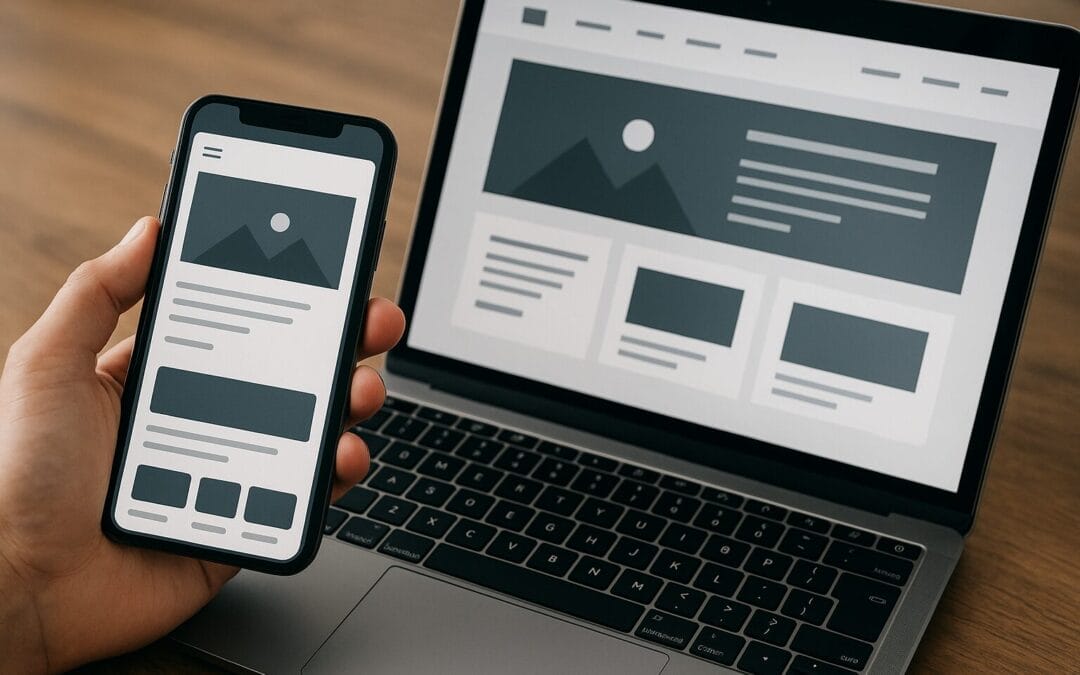
Responsive design adjusts fluidly to screen sizes and is the default recommended approach for small businesses. Adaptive design can be useful for complex sites but often requires more development. For most Indianapolis small businesses, responsive is faster to implement and easier to maintain.
Tips for great mobile UX
-
Use large, tappable buttons — aim for at least 44px tap targets.
-
Simplify navigation — use a clear hamburger menu and avoid deep menus.
-
Prioritize essential content above the fold: contact info, hours, and primary CTA.
Speed and Performance: Faster Sites Convert More
How long are you willing to wait for a page to load? Two seconds? Three? Every second counts. Slow load times frustrate users and hurt SEO. For small businesses in Indianapolis, optimizing speed can be a quick win for better engagement and higher search rankings.
Concrete steps to boost speed
-
Optimize images: use next-gen formats (WebP), compress without heavy quality loss, and use proper dimensions.
-
Use a reliable host or managed WordPress host with CDN options — avoid cheap, overloaded shared hosting.
-
Minimize scripts and third-party widgets that block rendering.
-
Enable browser caching and use a lightweight theme or framework.
Clear Branding and Visual Hierarchy
Your brand should tell a story within seconds. Think of your website as a local billboard on Meridian Street: it should communicate who you are, what you do, and why locals should care.
Elements of a strong visual identity
-
Logo and consistent color palette
-
Readable typography hierarchy for headlines, subheads, and body text
-
White space to make content breathe
-
Consistent imagery that reflects local character (Indianapolis landmarks, local staff, events)
A good visual hierarchy guides the eye: large headlines, clear subheads, and bold CTAs. Think of it as a map that directs visitors to the treasure—your products or services.
Navigation and Usability: Make It Obvious
Confusing menus are like a maze with no exit — users will bail. Keep navigation intuitive. People want to find what they need in three clicks or less.
Navigation best practices
-
Limit top-level menu items to 5–7 choices.
-
Use descriptive labels (e.g., “Services” vs. “What We Do”).
-
Add a visible phone number and directions in the header or sticky bar.
-
Include breadcrumb navigation for deeper pages.
Accessibility and ADA Considerations
Accessibility isn’t just ethical—it’s practical. Making your site accessible expands your audience, reduces legal risk, and improves overall usability for everyone.
Key accessibility checks
-
Use semantic HTML with proper heading order (H1 → H2 → H3).
-
Ensure contrast ratios meet accessibility guidelines for text.
-
Provide alt text for images and captions for videos.
-
Ensure keyboard navigability and focus states on interactive elements.
Content Strategy: Speak Like a Neighbor
Content is the bridge between a curious visitor and a paying customer. In Indianapolis, local flair helps—mention neighborhoods and community events when relevant, but don’t overdo it.
Write for people first, search engines second
Use conversational copy, local phrases, and clear value propositions. Answer the questions customers are asking: What do you do? How fast can you help? What’s your price range? Where are you located?
Content types that work well
-
Service pages with clear benefits and pricing tiers
-
Local landing pages for neighborhoods (e.g., “Indianapolis event catering in Broad Ripple”)
-
Blog posts answering common local search queries (e.g., “How to prepare for winter in Indianapolis” for landscaping businesses)
-
FAQs and how-to guides that reduce friction in the buying process
On-Page SEO Fundamentals
Design and SEO go hand in hand. Beautiful sites that aren’t discoverable are like restaurant windows at midnight—no foot traffic. Here’s how to make your site findable without sounding robotic.
Page-level SEO checklist
-
Title tags and meta descriptions: write compelling, local-focused titles (include “Indianapolis” or neighborhood when relevant).
-
Header tags (H1, H2): structure content for humans and search engines.
-
URL structure: keep URLs short, readable, and keyword-focused.
-
Use schema markup for business details, reviews, events, and FAQs to enhance SERP appearance.
Technical SEO: Crawlability and Indexing
Even great content needs to be discoverable by Google’s crawlers. Technical SEO ensures your site can be read and indexed properly.
Essential technical checks
-
Robots.txt and XML sitemap: make sure search engines can crawl and index your important pages.
-
HTTPS: secure your site with an SSL certificate — Google prefers secure sites.
-
Mobile friendliness: verified via Google’s Mobile-Friendly Test.
-
Fix crawl errors in Google Search Console and address duplicate content issues.
Local SEO and Google Business Profile
For small businesses serving Indianapolis neighborhoods, local SEO is gold. Most customers use Google Maps and search to find local services.
Optimize your Google Business Profile
-
Complete every section: hours, services, photos, and attributes.
-
Use a consistent NAP (Name, Address, Phone) across your website and directories.
-
Collect and respond to reviews—positive reviews boost visibility and trust.
-
Create location-specific pages if you serve multiple neighborhoods (e.g., “Landscaping in Noblesville” or “Catering for events in Irvington”).
Conversion Optimization: Turn Visitors into Customers
Your site should guide visitors toward a single action—booking a call, placing an order, or signing up. Think of conversion optimization as arranging your store so customers naturally pick up the best items.
High-impact CRO tactics
-
Strong, clear CTAs above the fold and at logical points throughout the page.
-
Use urgency and clarity: “Book within 48 hours for 10% off” or “Next available: Tuesday 2 PM.”
-
A/B test headlines, CTA colors, and page layouts with tools like Google Optimize.
-
Add live chat or a click-to-call button for immediate engagement—especially helpful for on-the-go Indianapolis customers.
Trust Signals and Social Proof
Customers in Indianapolis want to feel secure when they choose a local business. Trust signals are the friendly nods that reassure them.
Examples of trust-building elements
-
Customer reviews and star ratings
-
Case studies and before/after photos
-
Certifications, local awards, and memberships (Chamber of Commerce, local business associations)
-
Clear refund, return, and service policies
Images and Multimedia: Local Visual Storytelling
Stock photos are fine, but nothing beats real photos of your team, your storefront, and local landmarks. They create authenticity and help potential customers relate.
Multimedia tips
-
Use high-quality, optimized images with descriptive alt text (e.g., “Indianapolis coffee shop interior in Fountain Square”).
-
Short videos: a 30-second tour of your shop or a how-to clip can boost engagement.
-
Compress media to maintain page speed; use lazy loading for images below the fold.
Content Management Systems and Tools
Choosing the right CMS impacts how easily you can update your site. WordPress is the most common choice for small businesses because of flexibility and large plugin ecosystem, but hosted builders like Wix or Squarespace can be great for very small budgets or simple sites.
CMS selection guide
-
WordPress: best for flexibility, SEO plugins, and scalability.
-
Shopify: ideal for straightforward e-commerce with reduced technical maintenance.
-
Squarespace/Wix: fast to launch and easy to manage for non-technical owners.
If you want the ability to expand with blogs, appointment booking, or integrated marketing, choose a platform that supports growth without a full redesign.
Maintenance and Security: Keep Your Site Healthy
A neglected website is like an unattended storefront—over time, bugs, security issues, and outdated content will cost you. Regular maintenance protects your investment and keeps customers happy.
Maintenance checklist
-
Update CMS, themes, and plugins monthly.
-
Regular backups (at least weekly, daily for e-commerce).
-
Monitor uptime and performance with tools like UptimeRobot or Pingdom.
-
Run security scans and fix vulnerabilities promptly.
Choosing the Right Designer or Agency in Indianapolis
Hiring the right partner can make or break the project. Local agencies understand Indianapolis local search patterns and customer expectations, but remote freelancers can also deliver excellent work—choose based on fit, not just location.
How to evaluate candidates
-
Look at portfolios: do the examples feel modern and user-friendly?
-
Ask for references and case studies from businesses similar to yours.
-
Discuss ongoing support and maintenance — who will update the site after launch?
-
Request a clear project timeline and fixed deliverables.
Budgeting and ROI: What to Expect
Web design costs vary widely depending on complexity. A simple lead-capture site is different from a multi-location e-commerce store. The key is to treat your website as an investment in customer acquisition, not just a cost.
Typical small business budgets
-
Simple brochure site: lower to mid-range (DIY or freelance).
-
Custom small business site with SEO: mid-range (agency or experienced freelancer).
-
E-commerce or complex integrations: higher range (agency or specialist).
Measure ROI through lead tracking, online sales, phone call tracking, and Google Analytics conversions. Even small improvements in conversion rate or local visibility can pay for the site within months.
Measuring Success: Analytics and KPIs
You can’t improve what you don’t measure. Track the metrics that tie directly to your business goals.
Important KPIs for small businesses
-
Organic traffic from local keywords (e.g., “Indianapolis pet groomer”)
-
Conversion rate for contact forms, bookings, or online purchases
-
Bounce rate and pages per session to gauge engagement
-
Phone calls and click-to-call events if your business relies on calls
Common Mistakes to Avoid
Even well-intentioned owners make design mistakes. Avoiding these pitfalls will save time and money:
-
Overloading the homepage with too much information — keep it simple and scannable.
-
Using generic stock images that don’t reflect your business.
-
Hiding contact info or burying CTAs — make it easy to contact you.
-
Ignoring mobile users — test on different devices and browsers.
-
Not tracking performance — without data, you’re guessing improvements.
Local Examples and Quick Wins for Indianapolis Businesses
Want quick improvements you can implement this week? Here are some practical, low-effort wins that can make a difference for businesses in Indianapolis and nearby neighborhoods.
-
Update your Google Business Profile with current photos and posts about upcoming events—this boosts local visibility fast.
-
Add a visible click-to-call button for mobile users—many local searches turn into phone calls.
-
Create a “How to Find Us” page with a map and parking tips for customers visiting from places like Carmel or Fishers.
-
Collect and display recent customer reviews—ask satisfied customers to leave a Google review and show snippets on your homepage.
Tools and Resources for Small Business Web Design
Here are tools that make design and optimization easier, without a big agency budget.
-
Page builders: Elementor, Beaver Builder (for WordPress), or Squarespace templates.
-
Image tools: TinyPNG, Squoosh, or ShortPixel for compression.
-
Speed and testing: Google PageSpeed Insights, GTmetrix, and WebPageTest.
-
SEO tools: Google Search Console, Google Analytics, and Ubersuggest or Moz for keyword research.
-
Local tools: BrightLocal or Whitespark for local citation monitoring.
Actionable 30/60/90 Day Plan
If you’re staring at your site thinking “where do I start?” here’s a simple timeline you can follow.
First 30 days: Quick improvements
-
Fix mobile issues and site speed bottlenecks.
-
Update contact info, hours, and add click-to-call.
-
Optimize 3–5 important pages for local keywords.
Days 31–60: Content and conversion
-
Create a local landing page or two for target neighborhoods.
-
Add clear CTAs and set up basic conversion tracking in Google Analytics.
-
Collect customer reviews and display them on key pages.
Days 61–90: Scale and refine
-
Run an A/B test on a high-traffic page to improve conversion rates.
-
Launch a blog post or local guide to attract organic traffic.
-
Audit and improve accessibility and technical SEO issues.
Final Tips: Think Long-Term, Start Small
Design isn’t a one-time project—it’s an ongoing conversation with your customers. Treat your website like a living asset. Start with small changes that have measurable impact (speed, mobile UX, clear CTAs), then build toward bigger investments like custom development or e-commerce when the time is right.
If you serve Indianapolis neighborhoods such as Broad Ripple, Greenwood, or Noblesville, think local in both design and content. A website that reflects the local character and addresses the real questions Hoosiers ask will naturally perform better.
Summary
Your website is the most important marketing asset for a small business in Indianapolis. Focus on understanding local customers, building a mobile-first, fast-loading site, and using clear branding and navigation. Optimize for local search with a strong Google Business Profile, use trust signals to earn conversions, and measure results with analytics. Start with quick wins like improving speed and mobile UX, then scale up with content and conversion optimization. With a thoughtful approach and consistent updates, your website can become a top-performing digital storefront that attracts more customers from neighborhoods like Broad Ripple, Carmel, and Fishers.
Frequently Asked Questions (FAQs)
1. How much should a small business in Indianapolis expect to spend on a new website?
Costs vary based on complexity. A basic brochure-style site can range from a few hundred (DIY) to a few thousand dollars (freelancer). A professionally designed, SEO-ready site typically starts in the mid-thousands, while e-commerce or custom builds cost more. Focus on value and ROI—spending a bit more on optimization and local SEO often pays off.
2. Do I need a separate page for each neighborhood in Indianapolis?
Only if you actively serve multiple neighborhoods and want to rank locally for those areas. Create localized landing pages for areas with enough search demand (e.g., “HVAC services in Carmel” or “Landscaping in Noblesville”). Avoid duplicating content—make each page unique and valuable.
3. How important are customer reviews for local web design?
Extremely important. Reviews influence local search rankings and build trust. Display recent, authentic reviews on your site and respond to customer feedback on Google Business Profile and other platforms.
4. Which CMS is best for small Indianapolis businesses?
WordPress is the most flexible and scalable choice for businesses planning to grow or add content. Shopify is ideal for retail e-commerce. Squarespace or Wix can work well for simple sites with tight budgets and minimal technical maintenance.
5. How can I improve my website’s loading speed quickly?
Start with image optimization (compress and use proper dimensions), enable caching, remove unnecessary plugins or scripts, and use a quality host or CDN. Those steps often yield immediate, noticeable improvements.